aws
Automated Nginx Web Server Deployment on AWS EC2 Using User Data
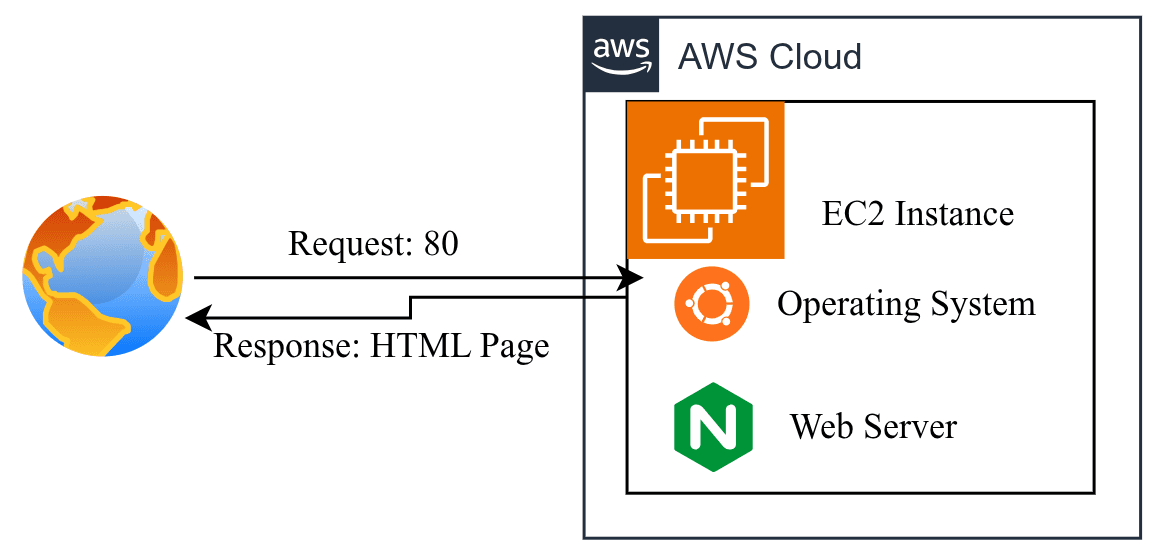
This project demonstrates how to deploy a web application on an Ubuntu AWS EC2 instance with Nginx as the web server, using an EC2 User Data script to fully automate the server setup at launch removing the need to manually SSH in and configure anything after the instance starts.
About this project
I configured the EC2 instance with a proper security group, allowing restricted SSH access and public HTTP access, and used a User Data bash script that runs automatically on first boot. The script updates the Ubuntu package repository, installs Nginx, creates a custom index page, enables Nginx to start on boot, and starts the service, so the website becomes live the moment the instance finishes launching. I verified the deployment both through the public IP in a browser and by SSHing into the instance to confirm Nginx's status and local response.
What I implemented
* Launched and configured an Ubuntu EC2 instance on AWS
* Configured a security group with restricted SSH and public HTTP access
* Wrote an EC2 User Data script to automate server bootstrapping
* Automated Nginx installation, configuration, and startup with the script
* Deployed a custom HTML page served through Nginx
* Verified deployment via public IP and SSH-based service checks
* Followed AWS resource cleanup practices after testing
Technologies Used
· AWS EC2 · Ubuntu · Nginx · Bash (User Data Script) · Security Groups · SSH
The main goal of this project was to understand automated server bootstrapping on AWS replacing a manual, repetitive setup process with a single reusable script that configures and starts a web server the moment an EC2 instance launches.